
From July 2026, most H5P activities in Canvas will begin to display an updated look and feel. You and your students may notice a refreshed interface and a range of accessibility improvements across selected H5P content types.
What’s changing
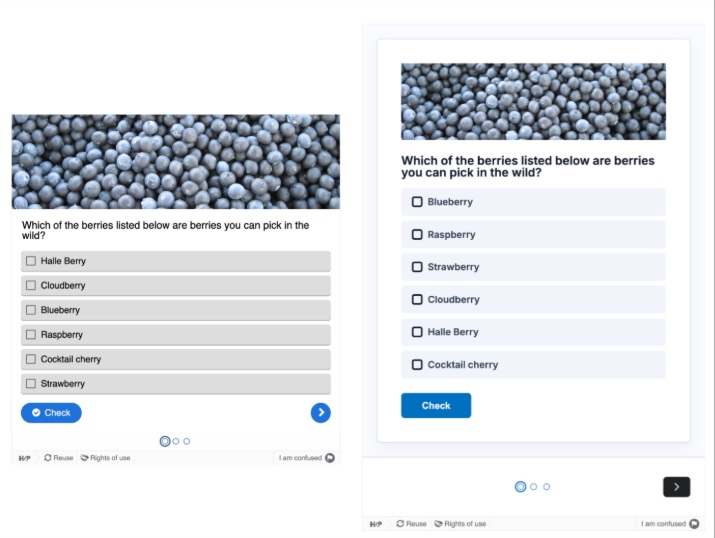
- Students will see a more modern H5P interface, with cleaner layouts, improved typography and more consistent interaction patterns.
- An accessibility uplift will mean better readability, colour contrast (aligned to WCAG 2.2 AA), and support for assistive technologies.
- Some activities will look different, but the changes affect only how your content is displayed, not how your activity works.
- A full list of content types with the new look and feel is available, along with examples. Some content types won’t be updated until later in the year.
What’s not changing
Authoring and editing workflows in H5P will stay the same. As a teacher, you can continue to create and edit H5P content in Canvas as you do now.
However, after the update, you may want to:
- Review key H5P activities after the change, especially those used in core learning tasks.
- Be aware that students might notice interface changes and ask questions.
Note that some content types may not be updated right away, including:
- Live engagement content types such as The Chase and Multipoll remain in the legacy design for now
- Branching Scenario and Game Map may display updated sub-content while the container keeps a legacy feel for now
You can expect to see the look and feel for all content types updated at a later date.
Need support?
If you have questions or need help with H5P, please log a ticket with the Ed Hub via ServiceConnect.