
This March, Rubrics in Canvas are getting a long-overdue tune up. Haven’t reviewed your rubrics in a while? Then this is a great time to look under the hood of your Rubrics area in Canvas.
From 21 March 2026, Enhanced Rubrics will be enabled for all Canvas sites. This update adds visual and functional improvements to Canvas rubrics, designed to make marking and feedback faster and more accessible for staff and students. More than a new coat of polish, this upgrade adds racing stripes to the rubric experience.
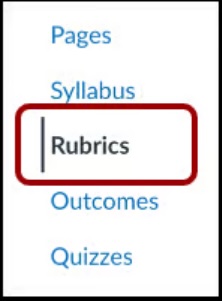
Key features of Enhanced Rubrics
- Visual upgrades: Enhanced Rubrics provides an updated interface for creating, managing, and viewing rubrics, improved navigation, and new rubric preview options.
- Functional enhancements for subject coordinators:
- Manage rubrics more easily in the Rubrics area of your site. You can now quickly draft, duplicate, and archive rubrics in Canvas.
- A new Criteria Builder makes creating a rubric a lot easier, including drag and drop ratings.
- Import and export rubrics using a CSV template in the Rubrics area of your Canvas site.
- Mark with rubrics offline, with an option to bulk download and import rubric assessments in Gradebook.
Drive away ready
Like a new car, all of the existing rubric functions you’re used to are still available in Enhanced Rubrics, they might just look a little different.
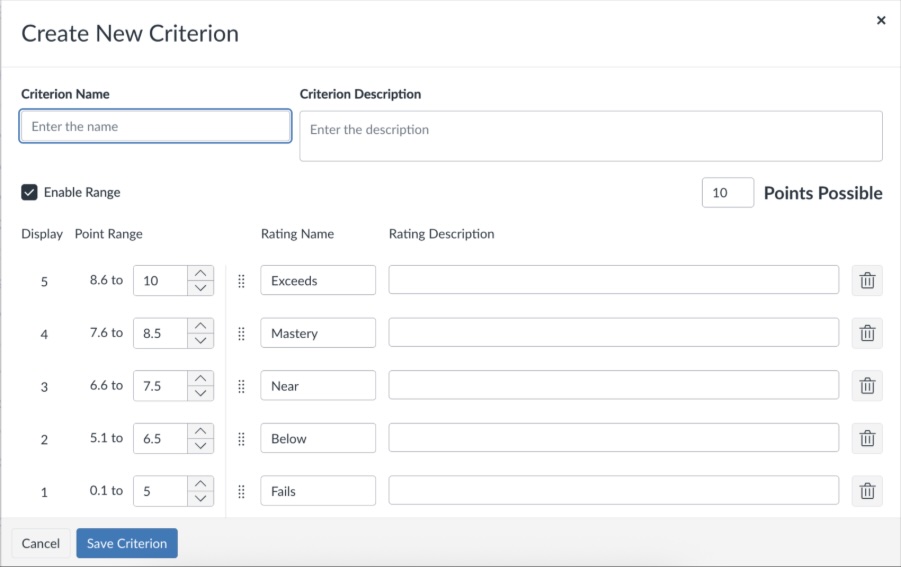
Subject coordinators can start exploring Enhanced Rubrics from 21 March in your Canvas site. In Canvas, navigate to your Rubrics area to explore the new rubric management options, edit your existing rubrics and create new rubrics.
There is no change to how markers and students access rubrics and feedback.
For more information, explore our guide to Rubrics in Canvas. For video guides, visit the links below.
- How do I manage rubrics in a course using Enhanced Rubrics?
- How do I add a rubric in a course using Enhanced Rubrics?
- How do I add a rubric to an assignment using Enhanced Rubrics?
- How do I use a rubric to grade submissions in SpeedGrader using Enhanced Rubrics?